It was 12:47 PM on a Saturday. Kick-off in thirteen minutes. My support inbox was already filling up — forty-three messages, mostly the same panic: “Smarters won’t load, mate.”
The issue wasn’t the streams. The issue was authentication. I’d migrated panel credentials the previous night without updating the Smarters profile URLs for existing subscribers. Every single one of them was hitting a dead endpoint. IPTV Smarters Pro doesn’t silently retry — it just throws a login error and sits there. Subscribers assume the service is down and start the chargeback conversation.
That incident taught me something I now tell every reseller I work with: IPTV Smarters Pro is not just a player — it’s the front-end face of your entire operation. If Smarters fails, your service fails, regardless of what’s happening upstream.
This guide IPTV Smarters Pro covers what I’ve learned running Smarters Pro as the primary player across thousands of UK subscriber lines — from initial panel integration to advanced troubleshooting and scaling strategy.
What Makes IPTV Smarters Pro the Default Choice for UK Resellers
IPTV Smarters Pro supports Xtream Codes API login, M3U URL import, and MAG-style portal emulation — all within a single application. For a UK reseller managing a mixed subscriber base across Firestick, Android TV, and iOS devices, that compatibility breadth is non-negotiable.
What separates it (IPTV Smarters Pro) from generic players like TiviMate or GSE Smart IPTV is the multi-screen profile system. Each subscriber account can be associated with multiple device profiles without requiring separate credentials, which dramatically reduces support overhead.
From a panel management perspective, Smarters Pro reads your Xtream Codes endpoint directly. That means line status, expiry, connection count limits — all enforced at the panel level and reflected instantly inside the app. When I provision a line through my reseller panel at Smart IPTV Reseller, the subscriber can be live on Smarters within sixty seconds.
- Supports Xtream Codes API, M3U, and MAG portals natively
- Multi-profile management reduces per-device credential handling
- Real-time line status synced from Xtream panel
- Works across Firestick, Android, iOS, Windows, and Smart TV
Pro Tip: Always provision subscribers via Xtream Codes API login rather than M3U URL. API connections allow your panel to enforce simultaneous connection limits properly. M3U imports bypass this entirely — one credential can technically stream on unlimited devices.
IPTV Smarters Pro Panel Integration: What UK Resellers Get Wrong
The most common mistake I see from new resellers is treating Smarters Pro as a plug-and-play solution. It isn’t. The player requires a correctly structured Xtream Codes panel on the backend, and if your upstream provider’s panel is misconfigured or running on shared low-capacity infrastructure, Smarters will expose every weakness.
When a subscriber connects via Smarters Pro, the app makes a series of API calls to your panel: authentication, category fetch, EPG data pull, and then stream initialisation. Each of these is a separate request. On a poorly optimised panel, EPG loading alone can take 15–20 seconds — which subscribers interpret as buffering or failure.
Panel Response Time Benchmark:
Tload=Tauth+TEPG+Tstream_initT_{load} = T_{auth} + T_{EPG} + T_{stream\_init}
For an acceptable subscriber experience, your total load time should remain under 4 seconds. If TEPGT_{EPG} alone is exceeding 3 seconds, your upstream panel is under-resourced or the EPG data isn’t cached properly.
This is why I run my subscriber base through Smart IPTV Reseller — the panel infrastructure is purpose-built for high-volume UK reseller operations, with EPG pre-cached and API response times consistently sub-second.
Buffering in IPTV Smarters Pro: Diagnosing the Real Source
When a subscriber reports buffering inside IPTV Smarters Pro, the instinct is to blame the stream. In my experience, the stream is responsible roughly 30% of the time. The remaining 70% breaks down like this:
| Cause | Frequency | Fix |
|---|---|---|
| ISP throttling HLS traffic | High | VPN or DNS-over-HTTPS |
| Subscriber’s router buffer-bloat | Medium | QoS settings, 5GHz Wi-Fi |
| Smarters cache not cleared | Medium | Force-stop, clear app data |
| Panel connection limit hit | Medium | Upgrade line or reduce devices |
| Genuine stream instability | Low | Provider-side issue |
UK ISPs operating on FTTP infrastructure have become increasingly aggressive with deep packet inspection targeting HLS and MPEG-TS traffic patterns — particularly during peak evening hours and weekend sports windows. In 2026, this isn’t speculative: it’s a daily operational reality for UK resellers.
IPTV Smarters Pro itself offers a buffer size setting inside the player configuration. I recommend setting this between 5,000ms and 10,000ms for subscribers on variable home broadband connections. This doesn’t fix stream quality but smooths out micro-interruptions caused by network jitter.
Pro Tip: When diagnosing buffering complaints, always ask the subscriber to check their Smarters connection info panel (three-dot menu during playback). If the bitrate is fluctuating wildly rather than dropping consistently, the issue is local network — not your stream.
Managing IPTV Smarters Pro Across a Subscriber Base at Scale
Once you’re managing more than fifty active lines, individual subscriber support for Smarters Pro configuration becomes a genuine operational bottleneck. The solution is standardised onboarding assets — not just a credentials email.
What I send every new subscriber:
- A branded PDF setup guide with annotated Smarters Pro screenshots
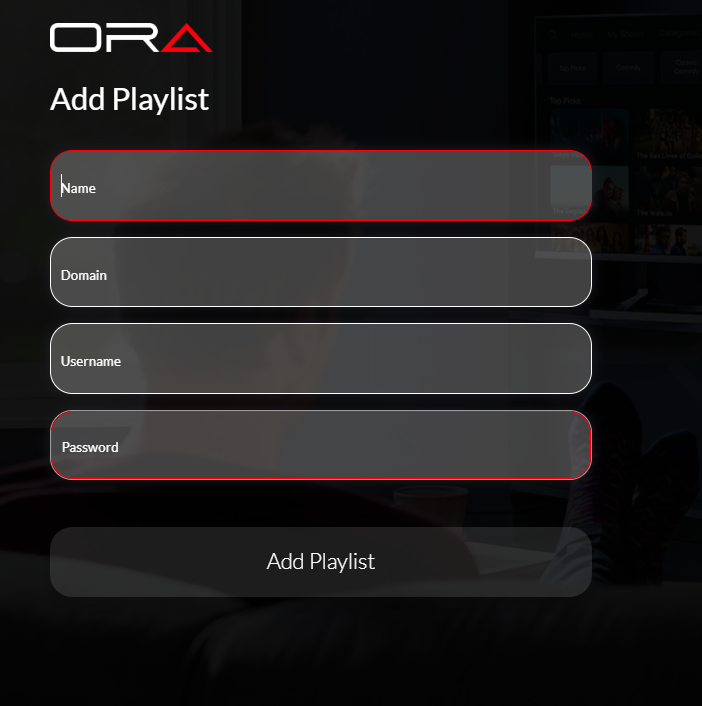
- Pre-filled Xtream login details (server URL, username, password)
- Device-specific instructions (Firestick vs Android TV vs iOS)
- A troubleshooting FAQ covering the top five Smarters error messages
This reduces first-week support tickets by approximately 60% in my operation. The upfront investment in documentation pays back within the first month.
Scaling beyond 200 lines introduces a different challenge: simultaneous connection spikes. During major sports events, a significant percentage of your subscriber base connects within a narrow window. If your panel credits are provisioned through Smart IPTV Reseller and your upstream infrastructure runs on 10Gbps+ UK-based servers, this is manageable. On budget shared-server providers, this is where operations collapse.
- Provision 15–20% spare capacity above your active subscriber count
- Monitor panel connection logs during peak events in real time
- Pre-communicate maintenance windows before major fixtures
- Keep a secondary provider line active for failover provisioning
IPTV Smarters Pro vs Competing Players: Where It Wins for UK Operations
Pro Tip: TiviMate is technically the superior player for Android — smoother EPG, better catch-up integration. But it requires a paid subscription and doesn’t support MAG portals. Smarters Pro is free, cross-platform, and covers 95% of UK subscriber device types. For reseller deployments at scale, Smarters Pro wins on compatibility, not performance.
UK Reseller IPTV Smarters Pro Success Checklist
1. Use Xtream Codes API login exclusively — never distribute M3U URLs to subscribers unless the device forces it. API enforces your connection limits.
2. Optimise your panel’s EPG delivery — if category/EPG load time inside Smarters exceeds 4 seconds, escalate with your upstream provider or migrate to a properly resourced panel via BrSmart IPTV Reseller.
3. Build a standardised Smarters setup guide — branded, device-specific, and covering the five most common error messages. Distribute with every new line.
4. Set subscriber buffer to 5,000–10,000ms — include this in your onboarding guide as a recommended player setting for UK broadband connections.
5. Monitor peak connection load in real time — during major sports events, watch your panel’s active connection count. If you’re within 10% of capacity, begin load management immediately.
Smart IPTV Reseller provides credit-based IPTV reseller panel infrastructure for UK operators. The platform supplies panel management software and reseller tools. It does not host, distribute, or stream media content of any kind.