
Every match of the World Cup 2026 UK is free to watch in the UK, shown live across BBC and ITV, with no subscription needed beyond a valid TV licence. The two broadcasters are splitting all 104 matches between them, including a joint simulcast of the final, so wherever you plan to watch from, the game itself won’t cost you anything extra.
Why BBC and ITV Are Showing the Whole Tournament
BBC and ITV have shared UK rights to the World Cup since 1966, and that arrangement continues for 2026 and 2030. The deal means every match, from the opening game to the final, airs free-to-air rather than behind a paywall. This matters more than usual this year because the tournament has expanded to 48 teams and 104 matches, so there’s simply more football to divide between the two channels.
For viewers, the practical upshot is straightforward. You don’t need a sports subscription package, and you don’t need to hunt for a specific paid streaming service. What you do need is a TV licence if you’re watching or streaming live, since that rule applies even to free-to-air football.
Pro Tip: Bookmark both the BBC Sport and ITVX schedule pages before the tournament gets going. Kick-off times bounce between BBC and ITV depending on the match, and a handful of games kick off well past midnight UK time because of the North American host cities.
Which Channels Are Broadcasting the Matches
Coverage is split across BBC One, BBC Two, ITV1 and ITV4 for live TV, with additional highlights and analysis on BBC Three and online. Streaming happens through BBC iPlayer and ITVX, both free with a registered account. If you’re in Scotland, STV carries ITV’s matches as well, with STV Player as the streaming option.
Here’s a simple breakdown of what’s showing where:
| Broadcaster | TV Channels | Streaming App |
|---|---|---|
| BBC | BBC One, BBC Two, BBC Three | BBC iPlayer |
| ITV | ITV1, ITV4 | ITVX |
| STV (Scotland) | STV | STV Player |
Neither Sky Sports nor TNT Sports holds any rights to this tournament, so if you’re used to those platforms for other football, this one works differently. Every match is genuinely free-to-air.
How Kick-Off Times Work for UK Viewers
Because the tournament is hosted across Canada, Mexico and the United States, kick-off times don’t follow the usual UK evening football slot. Matches fall anywhere between late afternoon and the early hours of the following morning, depending on the host city’s time zone.
Group stage matches often run several games a day, which means BBC and ITV are juggling multiple simultaneous kick-offs, a first for a World Cup at this scale. It’s worth checking the specific date and city for any match you care about, rather than assuming a fixed evening slot like past tournaments.
Watching on a Smart TV or Streaming Device
Most people watching at home these days aren’t switching on a traditional aerial feed. They’re opening BBC iPlayer or ITVX through a smart TV, a streaming stick, or a set-top box. If your setup already runs those apps smoothly, you’re set for the tournament with no extra steps.
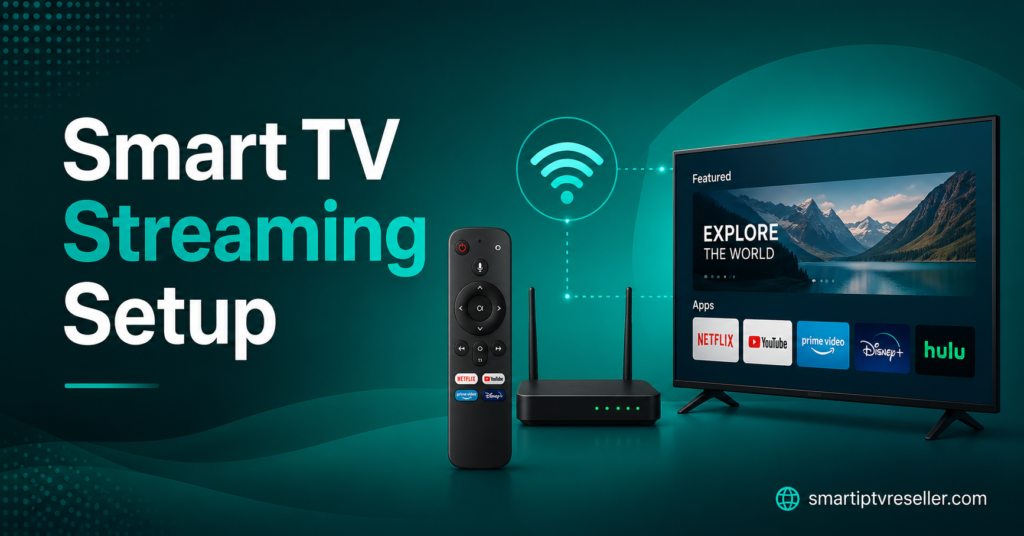
Where people run into trouble is usually device compatibility, older smart TVs that don’t support the latest app versions, or home networks that buffer during high-traffic moments like a packed group-stage evening. If you’re troubleshooting exactly this kind of thing, our guide on setting up a reliable smart TV streaming box walks through the basics of getting catch-up and live TV apps running smoothly on different devices.
Pro Tip: If your home broadband tends to slow down when everyone’s streaming at once, connecting your TV box via ethernet instead of Wi-Fi during marquee matches makes a noticeable difference to buffering.
Watching in a Pub or Public Venue
If you’d rather watch with a crowd, pubs and fan zones across the UK will be showing every match, and commercial venues do need a TV licence to display live BBC and ITV broadcasts publicly. Most established pubs already have this sorted, but it’s worth knowing if you’re helping organise a screening somewhere less conventional, like a community hall or a private event space.
Fan-finder tools built into apps like FANZO let you search by location, filter by which broadcaster is showing a match, and check screen size or atmosphere before you head out. That’s a genuinely useful shortcut during the knockout rounds when everyone wants a seat somewhere with a big screen and a good crowd.
Watching While Travelling Abroad
If you’re outside the UK when a match you care about kicks off, UK broadcaster apps like BBC iPlayer generally require you to be connecting from within the UK to stream live content, and that’s tied to your TV licence status too. Some travellers use a VPN to route their connection through a UK server, but it’s worth checking the broadcaster’s own terms first, since rules and enforcement vary and a VPN doesn’t remove the TV licence requirement for live streaming.
If you’re abroad long-term and rely on a broader mix of channels and apps for everyday viewing, that’s really a separate topic from World Cup access specifically, more about general device and app setup for whatever you’re used to watching day to day.
Following England and Scotland’s Matches Specifically
England fans will need to get comfortable switching channels through the group stage, since fixtures are split between BBC and ITV rather than sitting on one channel throughout. The pattern tends to hold into the knockout rounds too, so it’s worth double-checking the channel for each fixture rather than assuming based on the previous game.
Scotland’s group games are similarly split, with BBC and ITV, plus STV in Scotland, sharing coverage. If you’re specifically tracking one team’s run through the tournament, it’s genuinely easier to check the schedule per match than to memorise a pattern, since the channel allocation shifts as the tournament progresses through each stage.
Catching Up If You Miss a Match
Both BBC iPlayer and ITVX keep full match replays and highlights available after the final whistle, so a missed kick-off during a working day or an awkward middle-of-the-night slot isn’t the end of the world. Highlights packages tend to go up within an hour or two of the final whistle, with full match replays following shortly after.
This is also where a properly set up streaming device pays off day to day, not just for the World Cup. If you’ve got a box or app setup that already handles catch-up TV well, you’re not scrambling to find a decent replay a few hours after a big match. Our guide to organising catch-up and on-demand apps covers getting several broadcaster apps sitting comfortably on one device, which is handy well beyond this tournament too.
What to Do If Your Stream Keeps Buffering
A few practical fixes cover most buffering problems during high-traffic matches like England or Scotland fixtures, or the final itself:
- Switch from Wi-Fi to a wired ethernet connection where possible
- Close other devices or apps competing for bandwidth during kick-off
- Restart your router an hour or so before a major match, not mid-game
- Lower the streaming quality setting slightly if your connection is genuinely limited
None of these need technical expertise, and they solve the vast majority of buffering complaints people report during major sporting events.
Viewer Checklist
- Confirm your TV licence is valid and up to date before the tournament starts
- Check BBC iPlayer and ITVX are both installed and logged in on your main device
- Note down kick-off times in your own time zone, especially for late games
- Test your connection speed a day or two before a match you really care about
- Have a backup plan (phone, tablet, or a second device) in case your main TV has issues
Household or Small Venue Host Checklist
- Confirm whether your venue needs a public TV licence for group screenings
- Test your screen and audio setup a few days ahead, not the morning of
- Have a wired backup connection ready in case Wi-Fi struggles with a full house
- Check channel allocation per match rather than assuming BBC or ITV throughout
Frequent Streaming Household Checklist
- Keep broadcaster apps updated across every device in the house
- Stagger other heavy internet use (downloads, gaming updates) away from kick-off times
- Bookmark the schedule so switching between BBC and ITV doesn’t cause a scramble
- Consider ethernet over Wi-Fi for the device carrying the main screen
FAQ
Is the World Cup 2026 free to watch in the UK?
Yes, every match is shown free-to-air across BBC and ITV, with no subscription needed beyond a standard TV licence.
Which channels are showing the matches?
Live coverage runs across BBC One, BBC Two, ITV1 and ITV4, with streaming through BBC iPlayer and ITVX. Scotland also gets STV coverage of ITV’s matches.
Do I need a TV licence to watch?
Yes, a valid UK TV licence is required to watch or stream any live broadcast, including through iPlayer, regardless of which channel you’re watching.
Can I watch if I’m travelling outside the UK?
UK broadcaster apps generally require a UK connection to stream live, and TV licence rules still apply. Check the broadcaster’s own terms before relying on a workaround like a VPN.
Will Sky Sports or TNT Sports show any matches? No, neither platform holds any rights to World Cup 2026. Every match sits with BBC and ITV.