Stop IPTV Buffering 2026: The 10-Step Definitive Fix
Buffering killed the stream right before the goal. Or the final round. Or the last two minutes of the match. If that sentence made you wince, you already know this problem personally.
Here is the uncomfortable truth most IPTV guides avoid: buffering in 2026 is rarely caused by just one thing. It is almost always a stack of three or four compounding problems, and fixing only one of them changes nothing. That is why people try every tip they find online and still end up watching a spinning circle at the worst possible moment.
To stop IPTV buffering in 2026, you need to identify whether the problem sits with your internet connection, your device, your router, your DNS, your IPTV service infrastructure, or ISP-level throttling. Each layer has a different fix, and this guide covers all of them in the order that actually matters.
Why Buffering Has Gotten Worse in 2026, Not Better
A lot of people assume that faster broadband means better IPTV. It does not, and that assumption is costing people hours of frustration. What has changed in 2026 is that ISP traffic shaping has become significantly more aggressive. ISPs in the UK, US, Canada, and Australia are now using deep packet inspection to identify streaming traffic patterns that fall outside recognised CDN signatures. When IPTV traffic gets flagged, it does not get blocked outright. It gets throttled. The stream technically loads, but it buffers constantly because the available throughput has been artificially squeezed.
At the same time, 4K channel delivery has increased average bitrate requirements substantially. A stable HD stream might need 8 to 10 Mbps. A 4K stream needs 25 Mbps or more, consistently, not just on average. If your connection dips even briefly below that threshold, you see buffering.
These two factors together explain why IPTV buffering complaints increased sharply heading into 2026 even among people with high-speed broadband.
Step 1: Run a Real Speed Test, Not Just a Basic One
Before touching any setting, you need to know what you are actually working with. Do not just run a speed test and look at the download number. What matters for IPTV is sustained throughput and latency under load. Run a test on Waveform’s bufferbloat test tool or at DSLReports. These tests reveal whether your connection has high jitter or bufferbloat, which are two of the most common hidden causes of IPTV buffering even on fast connections.
If your download speed is 100 Mbps but your bufferbloat grade is a C or D, that explains your problem more clearly than anything else. High bufferbloat means your router is struggling with packet queue management, which creates latency spikes during simultaneous uploads and downloads. IPTV streams are extremely sensitive to this.
Anything above 30ms consistent jitter on a wired connection is a problem worth fixing before moving to any other step.
Step 2: Stop IPTV Buffering 2026 by Fixing Your DNS First
This is the step most people skip, and it is often the one that resolves everything. DNS poisoning and slow DNS resolution are widely underappreciated causes of IPTV buffering in 2026. When your IPTV player resolves the server address, it is checking your DNS. If that lookup is slow, times out, or returns an incorrect result because of ISP-level DNS interference, the stream either fails to load or starts buffering within seconds.
Change your DNS from your ISP default to either Cloudflare (1.1.1.1) or Google (8.8.8.8). Do this at the router level so every device on your network benefits.
If you are on a service that uses geo-routing for its delivery nodes, slow DNS resolution compounds dramatically because the player is constantly querying to find the nearest server. Bad DNS equals higher latency equals more buffering.
Pro Tip: On devices running Android TV or Amazon Fire OS, you can override DNS directly in the device network settings without changing your router. This is useful for testing whether DNS is your issue before making router-level changes.
Step 3: Wired Is Not Just Better. It Is a Different Category of Connection.
Anyone still using Wi-Fi for IPTV in 2026 and wondering why they experience buffering needs to hear this plainly. A wired Ethernet connection is not slightly better than Wi-Fi. It is categorically different. Wi-Fi introduces unpredictable micro-drops in signal quality, especially in households with multiple devices, smart home equipment, or thick walls. These drops are invisible to basic speed tests but devastating to live IPTV streams.
The practical fix is simple. Use an Ethernet cable from your router to your streaming device. If that is not possible, a powerline adapter is the next best option. Wi-Fi 6 on a 5GHz band is acceptable as a fallback, but even then, keep the router in line of sight and reduce competing device usage during streaming.
We have reviewed dozens of support tickets from frustrated subscribers who tried every software fix imaginable. In a significant portion of cases, switching from Wi-Fi to wired eliminated the buffering entirely without any other change.
Step 4: Your Router Is Probably the Weak Link Nobody Mentions
ISP-provided routers are often dramatically underpowered for handling modern network loads. They manage connection sharing acceptably for general browsing but struggle with simultaneous high-throughput sustained connections, which is exactly what IPTV demands. When multiple household members are using the internet while someone streams IPTV, an underpowered router’s CPU can hit saturation and start dropping packets.
Check whether your router supports QoS (Quality of Service) settings. If it does, prioritise IPTV traffic or your streaming device’s MAC address. This forces the router to protect the stream’s bandwidth allocation even when other devices are competing.
If your router is more than four years old and was provided by your ISP free with a broadband contract, replacing it with a consumer mid-range router from a brand like TP-Link, Asus, or Netgear will often produce an immediate and noticeable improvement.
| Router Type | Streaming Performance | QoS Support | Recommended |
|---|---|---|---|
| ISP Default Router | Inconsistent | Rarely | No |
| Budget Third-Party | Moderate | Sometimes | Acceptable |
| Mid-Range Third-Party | Strong | Yes | Yes |
| High-End Third-Party | Excellent | Yes, Advanced | Ideal |
Step 5: How to Stop IPTV Buffering 2026 When Your ISP Is Throttling You
This is the conversation most guides avoid because it makes ISPs uncomfortable. In 2026, ISP throttling of streaming traffic that falls outside recognised service patterns is not rare. It is widespread. Traffic fingerprinting technology has become sophisticated enough that ISPs can identify HLS streaming traffic that does not originate from a whitelisted source and apply bandwidth restrictions.
The most effective solution is a reliable VPN with split tunnelling. Route your IPTV traffic through the VPN while keeping general browsing on your regular connection. This breaks the fingerprinting because your IPTV stream now looks like encrypted general traffic rather than an identifiable streaming pattern.
Avoid free VPNs entirely. A free VPN will introduce so much additional latency that you trade one buffering problem for another. Use a paid service with servers located near you geographically. Lower latency between your device and the VPN server means minimal impact on your stream quality.
Pro Tip: Run a speed test first without a VPN, then again with the VPN active. If your speed drops by more than 15%, try a different VPN server location closer to you geographically before concluding a VPN will not work.
Step 6: Device Performance and Buffer Cache Settings
Low-end streaming devices are a significant and underappreciated cause of IPTV buffering. When a device does not have enough RAM or CPU headroom to pre-cache stream segments, it cannot buffer ahead of playback. The result is that any brief network fluctuation immediately causes visible buffering rather than being absorbed by the player’s local cache.
Android TV boxes below the standard of a current-generation device running a Rockchip or Amlogic chipset with at least 2GB RAM are often operating at their ceiling when decoding a 4K stream. They have nothing left to handle cache management.
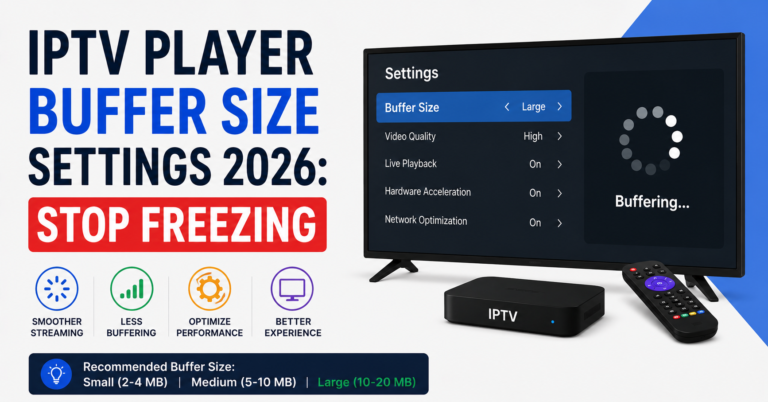
Inside your IPTV player application, look for buffer settings. In TiviMate, increase the player buffer to at least 10,000ms. In IPTV Smarters Pro, increase the hardware decoder buffer if you are experiencing stuttering rather than full freezes. These adjustments give your player more breathing room to absorb small network fluctuations before they become visible interruptions.
Clear the player’s cache regularly. A bloated cache file can actually slow down segment retrieval by forcing the app to search through stale data before loading fresh segments.
Step 7: Server-Side Issues Are Real and You Cannot Fix Them Alone
Some buffering is entirely outside your control. If your IPTV service is running on overloaded or poorly architected infrastructure, no amount of client-side optimisation will fully compensate. This is particularly evident during major sports events when thousands of subscribers simultaneously request the same channels.
A well-built IPTV service uses load balancing across multiple delivery nodes, CDN-backed stream distribution for popular channels, and backup uplinks for failover when primary routes saturate. A service running off a single server with no redundancy will buffer for everyone during peak demand, regardless of how fast or stable each individual subscriber’s connection is.
The practical test is simple. If you only buffer on popular channels during peak times but never on less-watched channels or at off-peak hours, the problem is almost certainly infrastructure rather than your setup.
Pro Tip: Check whether your IPTV service has a server status page or a user channel on Telegram. Legitimate providers communicate infrastructure issues proactively. If a service goes silent during every outage, treat that as a reliability warning sign.
Step 8: Stop IPTV Buffering 2026 by Selecting the Right Playlist and Stream URL
Many IPTV services offer multiple server options or playlists. If you are using a single playlist URL and experiencing persistent buffering, contact your provider and ask whether alternative server regions or backup stream URLs are available. Some providers offer UK-routed and EU-routed variations of the same content, and switching between them based on your location and time of day can meaningfully reduce buffering.
For resellers managing their own IPTV reseller panel, understanding which server lines your panel is connected to matters operationally. If your IPTV reseller panel is linked to a single-source provider without load balancing, your customers will experience correlated buffering during peak demand. Before onboarding customers, verify with your upstream supplier whether your panel credits give you access to multiple lines or just one.
This is a mistake many new resellers make. They assume all reseller panels offer equivalent infrastructure. They do not.
Step 9: Stop IPTV Buffering 2026 During Live Sports Specifically
Live sports are the hardest test for any IPTV stream because demand is simultaneous and compressed into specific windows. If you specifically buffer during football matches, boxing events, or major racing coverage but your general IPTV experience is stable, here is what to do.
Switch to an SD stream of the same channel five minutes before the event starts. SD streams have dramatically lower bitrate requirements and are far more resilient during demand spikes. Once the event settles into a stable viewing pattern around ten to fifteen minutes in, try switching back to HD or 4K.
Alternatively, use a reliable player with an HLS buffer increase and enable hardware decoding. Software decoding on a mid-tier device during a 4K sports stream will CPU-throttle and cause buffering even when the network is stable.
During major events like Champions League finals or World Cup knockout matches, infrastructure demand spikes globally. Even professional delivery networks see pressure. Preparation matters.
Step 10: Long-Term Monitoring Instead of Repeated Troubleshooting
Fixing IPTV buffering once is not the same as maintaining a stable streaming environment. The conditions that cause buffering change. Your ISP may update its traffic management policies. Your router firmware may change behaviour. Your IPTV provider may migrate servers. Your device may accumulate junk files.
Build a simple monitoring habit. Once a month, re-run your bufferbloat test. Clear your player cache. Check whether your DNS is still resolving quickly. If you use a VPN, confirm your server location is still optimal.
For resellers, monitoring takes on additional operational importance. If you run a reseller panel and your customers are reporting widespread buffering, you need to determine quickly whether the issue is isolated to specific customer devices, a specific channel category, or your entire panel. Systematic monitoring at the reseller level prevents what would otherwise become a flood of support tickets and customer cancellations.
FAQ
Why is my IPTV buffering even though my internet is fast?
Fast download speeds do not guarantee smooth IPTV. High jitter, bufferbloat, DNS latency, ISP throttling, and device limitations all cause buffering independently of your headline speed figure. Run a bufferbloat test rather than a standard speed test to identify the actual cause.
How do I stop IPTV buffering 2026 on a Firestick?
Clear the app cache, increase the player buffer size in your IPTV app settings, enable hardware decoding, switch to a wired connection via an Ethernet adapter, and change your DNS to 1.1.1.1. If buffering persists only during peak hours, the issue is likely server-side.
Does a VPN stop IPTV buffering 2026?
A VPN can stop buffering caused by ISP throttling, which is increasingly common in 2026. However, a VPN introduces latency. If your buffering is not caused by ISP throttling, a VPN may make it worse. Test with and without to isolate whether throttling is your specific problem.
How do I stop IPTV buffering 2026 on Android TV?
Increase the player buffer in your IPTV application, clear cache files, change DNS in your network settings, use a wired Ethernet connection if possible, and verify your device has sufficient free RAM. Devices with under 2GB RAM often struggle with 4K streams.
How do I know if my IPTV provider’s server is causing buffering?
If buffering occurs on popular channels during peak viewing hours but not on less-watched channels or at off-peak times, infrastructure overload is the most likely cause. A reliable provider will communicate outages via a status page or Telegram channel.
Can resellers fix buffering for their customers?
An IPTV reseller can address buffering caused by panel configuration, stream source selection, or upstream supplier issues. However, customer-side problems like weak Wi-Fi or underpowered devices require the subscriber to make adjustments. Good IPTV UK resellers send customers a setup checklist proactively rather than waiting for support tickets.
What buffer size should I set in my IPTV player?
For most players, 10,000ms is a reliable starting point for live streams. If you are on a stable high-speed connection and experiencing stuttering rather than freezing, you can reduce this slightly. On slower connections, increasing to 15,000ms gives more tolerance for momentary network fluctuations.
Why does IPTV buffer more during football matches than normal programming?
Live sports events generate simultaneous demand spikes as thousands of subscribers watch the same channel at the same time. This tests the capacity of your IPTV provider’s infrastructure. The solution is a combination of switching to SD during peak demand and choosing a provider with proper load balancing and CDN integration.
Subscriber Checklist
Run a bufferbloat test before assuming your broadband is the issue
Switch from Wi-Fi to a wired Ethernet connection
Change DNS to 1.1.1.1 at router level
Increase player buffer to 10,000ms in your IPTV application
Enable hardware decoding in your player settings
Clear IPTV app cache monthly
Test with a VPN if buffering is consistent but only on certain channels or during peak hours
Switch to SD during major live sports events as a first response
Reseller Checklist
Verify your IPTV reseller panel is connected to a multi-line or load-balanced source
Ask your upstream supplier whether your panel credits include access to backup streams
Test all channels under your reseller panel before onboarding new customers
Send subscribers a device setup and DNS configuration guide at sign-up
Monitor whether buffering reports are correlated across multiple customers simultaneously, which indicates server-side issues
Maintain a Telegram or WhatsApp broadcast group to communicate service status proactively
Sub-Reseller Checklist
Understand which upstream reseller panel your service is sourced from
Confirm whether your parent reseller has access to alternative stream lines
Do not oversell panel capacity beyond what your upstream supplier has provisioned
Report widespread buffering to your panel owner immediately with timestamps and affected channel names
Collect basic device information from customers before troubleshooting to isolate device versus network versus server causes
Conclusion
IPTV buffering in 2026 is a layered problem, and it demands a layered response. The ten steps in this guide address every realistic cause in order of how commonly each one is responsible. Start with the network fundamentals before touching application settings, and address infrastructure questions before assuming the problem is on your end.
For subscribers watching at home, the combination of wired connection, corrected DNS, and a properly buffered player application resolves the majority of buffering cases. For resellers managing panels and customer relationships, the responsibility extends further. Understanding your infrastructure, choosing a quality panel source, and communicating proactively with your customers is what separates a IPTV reseller who retains customers from one who loses them after the first buffering incident.
If you are looking for a reliable service built on proper infrastructure rather than a single-point setup, britishseller.co.uk is one of the options worth examining for UK and international viewers.
The single most important lesson from working through hundreds of buffering complaints is this: most people fix the wrong layer first. Check your DNS. Check your connection type. Check your device. Only after eliminating those should you question your provider. And if your provider consistently underperforms during peak demand, that is not a buffering problem you can solve from your end. That is a supplier decision.